Store listing and privacy policy, written with AI
Let AI draft your app's store texts and privacy policy, review them per language within the stores' limits, and send them to Google Play and the App Store.
On this page
Every app in a store has a listing (its name, a short pitch, a full description, keywords) and a privacy policy both stores require. FromScratch drafts them for you from your app's own screens and texts, in your languages, within each store's character limits. You review, save, then send them to Google Play and the App Store. All of it happens in the App listing step of the Publish to the stores card, in Dashboard › Mobile.
Draft the listing with AI
- Open Dashboard › Mobile, card Publish to the stores, step App listing (on either tab: the listing is shared by both stores).
- Click Write with AI. After a few seconds, an AI proposal appears.
- For each field, compare the proposal with the Current text, then click Accept, or Accept all. Discard the proposal throws it away.
- Edit anything you like, then click Save.
Nothing is saved or sent until you click Save. The AI reads your app (its name, screens and texts) and is told to describe only what the app really does; read it anyway, you know your app best. A project can make 20 AI requests a day (writing and « Explain with AI » together), at no credit cost.
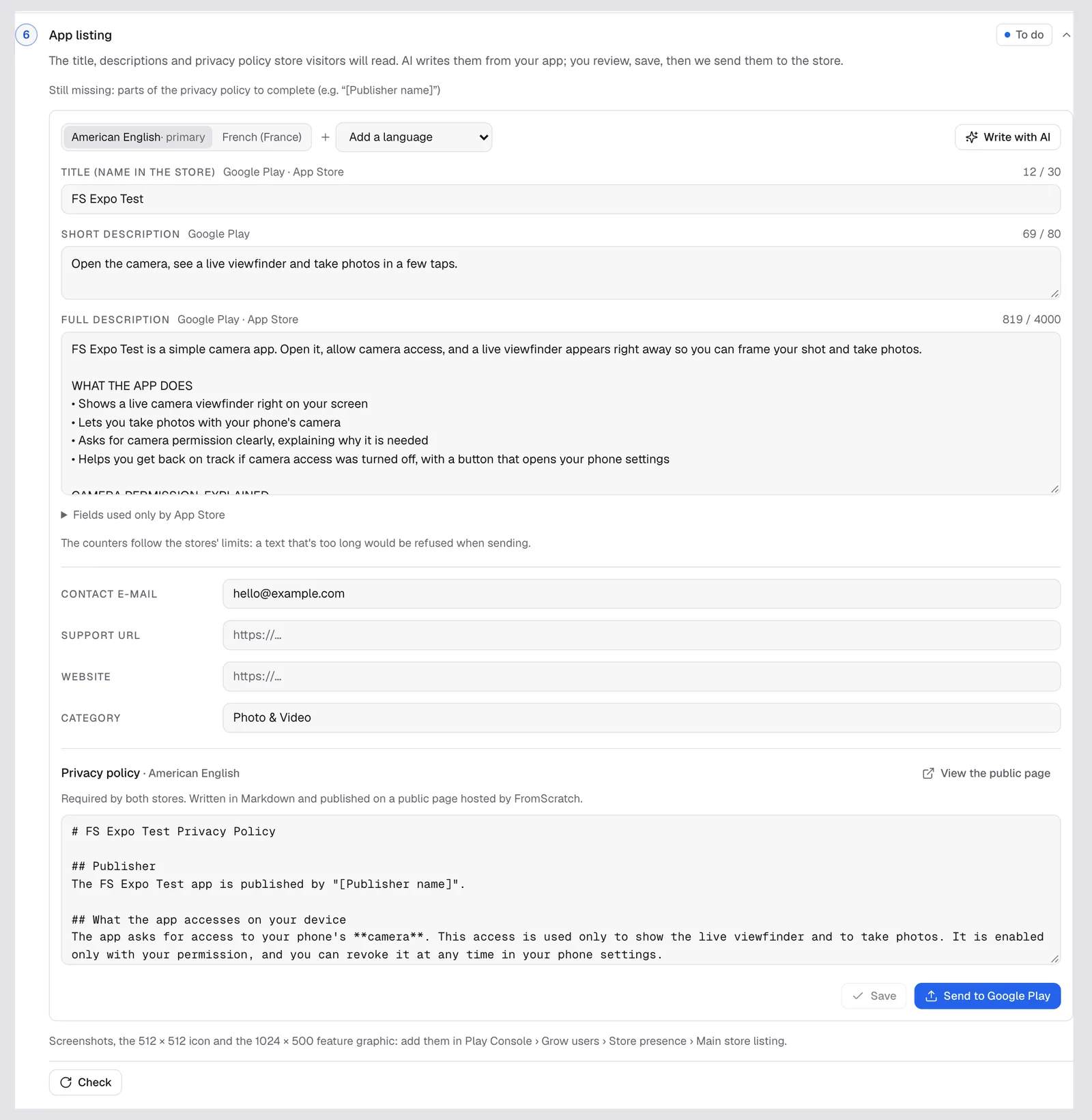
Languages and limits
Each language has its own tab. Add a language adds one (English, French, Spanish, German and more); Make primary chooses the store's default language; Remove this language deletes a tab. Each field shows the stores that use it and a counter:
| Field | Store | Limit |
|---|---|---|
| Title (name in the store) | Google Play, App Store | 30 characters |
| Short description | Google Play | 80 |
| Full description | Google Play, App Store | 4,000 |
| Subtitle | App Store | 30 |
| Promotional text | App Store | 170 |
| Keywords | App Store | 100, comma-separated, no space after the comma |
| What's new | App Store | 4,000 |
The App Store-only fields are folded under « Fields used only by App Store ». A text that's too long turns red: the store would refuse it. Below the texts, fill in the Contact e-mail, the Support URL, your Website and the Category.
The privacy policy
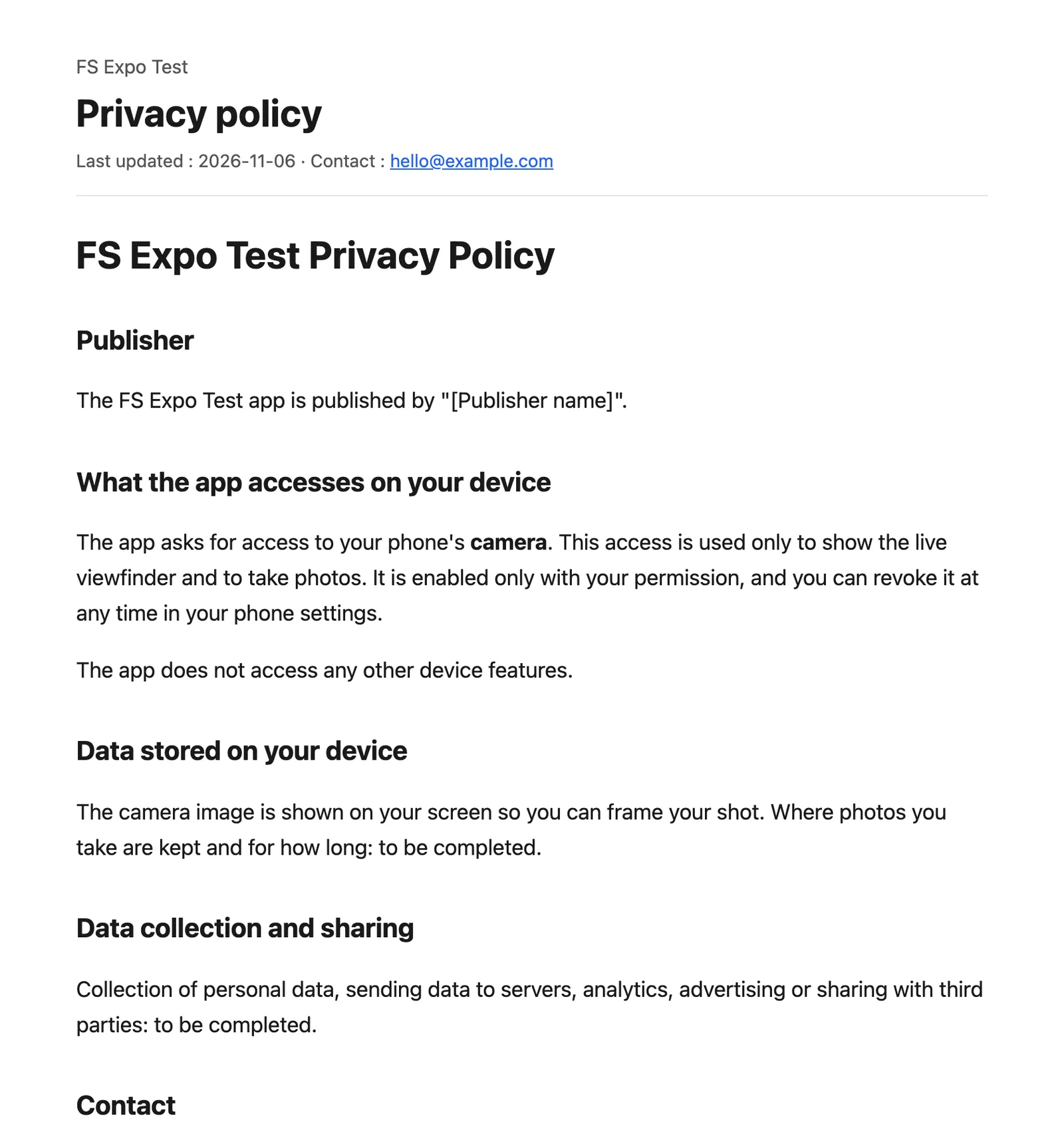
Both stores ask for the address of a privacy policy. The AI writes one per language, in plain Markdown, from what your app really uses (for example the camera). FromScratch publishes it on a public page, /app-legal/<your project>/privacy, filled with your contact e-mail. View the public page opens it; the page is updated each time you save.
Warning
the draft leaves gaps only you can fill, such as « [Publisher name] » or « to be completed » (how long photos are kept, data shared with third parties…). Replace every one of them, then save. Until then the step stays To do, with « Still missing: parts of the privacy policy to complete ».
Send the listing to the stores
Once saved, click Send to Google Play or Send to App Store and confirm: the saved texts replace those of the store listing, for every language. FromScratch needs its access to the store first (the « Give FromScratch access » step for Google Play, the API key for the App Store). See Publish your app on Google Play and Publish your app on the App Store.
Images aren't sent from FromScratch: add the screenshots, the 512 × 512 icon and the 1024 × 500 feature graphic in Play Console › Grow users › Store presence › Main store listing, and the iPhone screenshots (6.9-inch at least) on the iOS version page of App Store Connect.
Tip
take your screenshots on your phone with Expo Go or a test build, on the screens that show what your app does best.
Related
Was this page helpful?
Thanks for your feedback!
Couldn't send your feedback. Please try again later.