The agent's model and skills
Choose the model that builds your project and give the agent your own rules: brand guide, tone of voice, skills from the public catalogue.
On this page
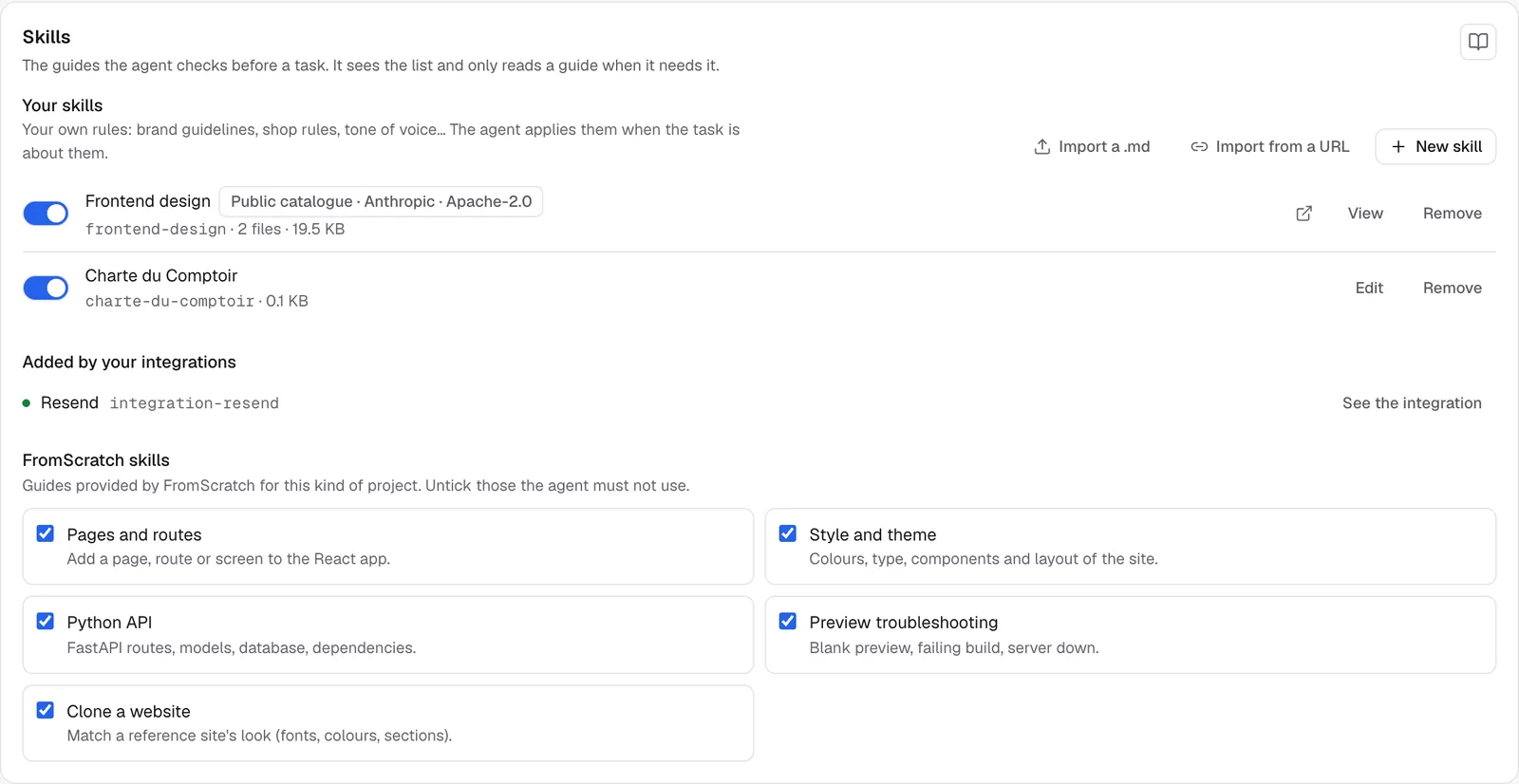
The Agents section of the dashboard sets how the agent works on this project: the AI model it uses and the skills it consults. A skill is a guide written as text: your brand guide, your store's rules, the tone of your copy. The agent sees the list of your skills and reads the one that matches the task at hand, when it needs it.
Choose the project's model
- Open Dashboard › Agents.
- In Project model, pick a model from the list.
- The change applies from the next message, with nothing to recreate.
Models marked Premium are only available on paid plans. Picking one on the free plan offers to change plans. See Models and plans.
The What the agent does card reminds you of its basic rules: it proposes a step-by-step plan, replies in your language and creates a version on every turn.
Write your own skill
- In the Skills card, under Your skills, click New skill.
- Give it a Title (for example "Le Comptoir brand guide").
- Write the Content (Markdown). A list of simple rules is enough.
- Save. The agent follows it from the next message.
Example content:
# Le Comptoir brand guide
- Main color: sage green, terracotta accents
- Headings in a serif font, body text in a sans-serif font
- Tone: warm and friendly
- Always show the opening hours in the footer
Already have this text in a file? Import a .md loads it directly. A skill can be up to 20 KB, and a project can have 20 of them.
The switch pauses a skill without deleting it. Edit changes it. Remove deletes it.
Add a skill from the public catalogue
The Public catalogue card offers ready-to-use open-source skills published by Anthropic under the Apache-2.0 license: polished interface design, a theme factory, visuals and posters, app testing, the Claude API in your app…
- Look for a skill with Search a skill, or browse the list.
- View source opens its original text.
- Click Add. It joins Your skills, marked Public catalogue.
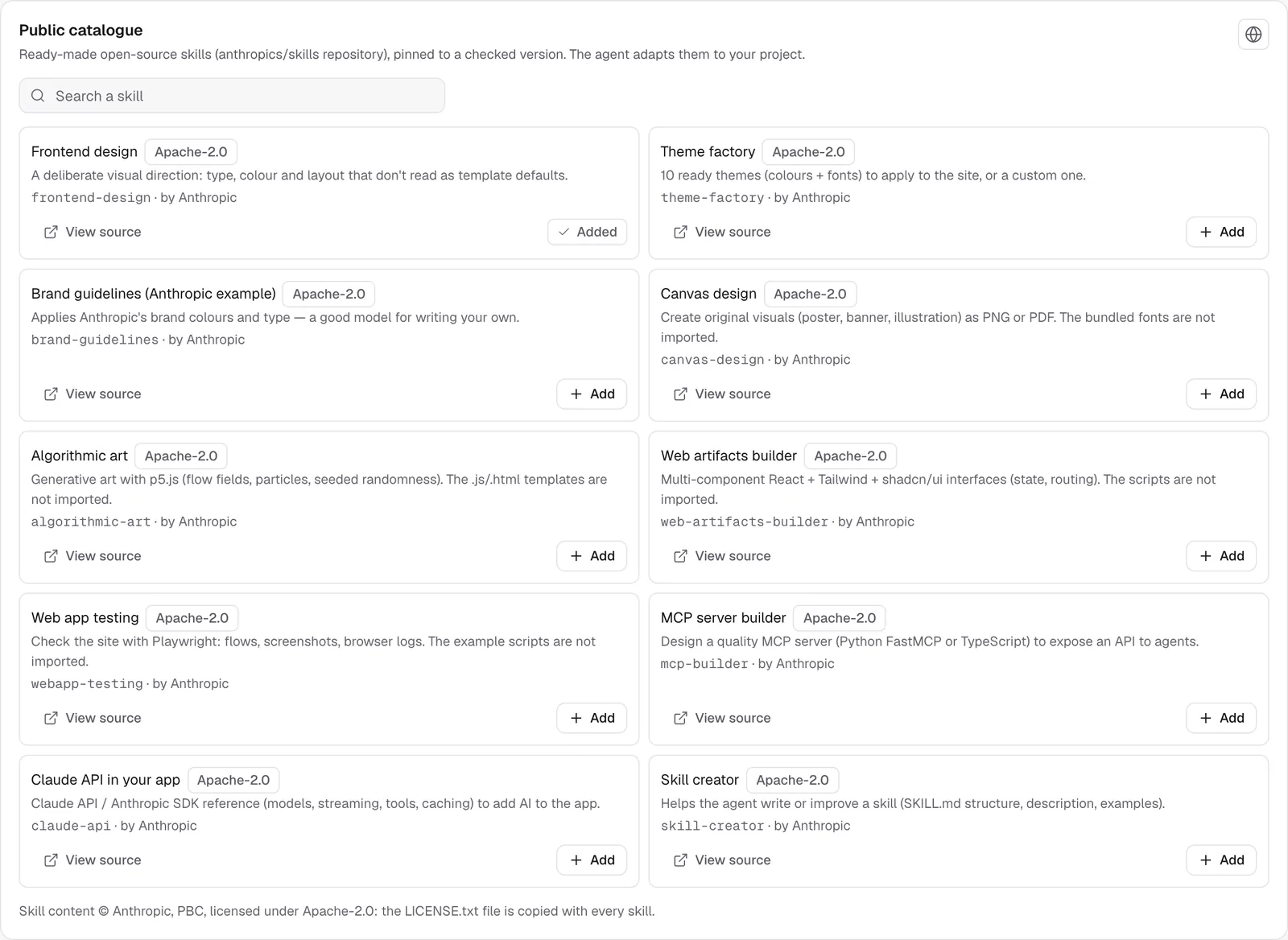
Only text and images are imported. The scripts that come with some skills are not, and the agent handles that part itself. Some skills may be reserved for paid plans (Unlock button).
Import a skill from a URL
- Click Import from a URL.
- Paste the Skill link: a GitHub folder (
…/tree/<branch>/<folder>), the link to itsSKILL.md, or the address of a rawSKILL.md. - Click Import.
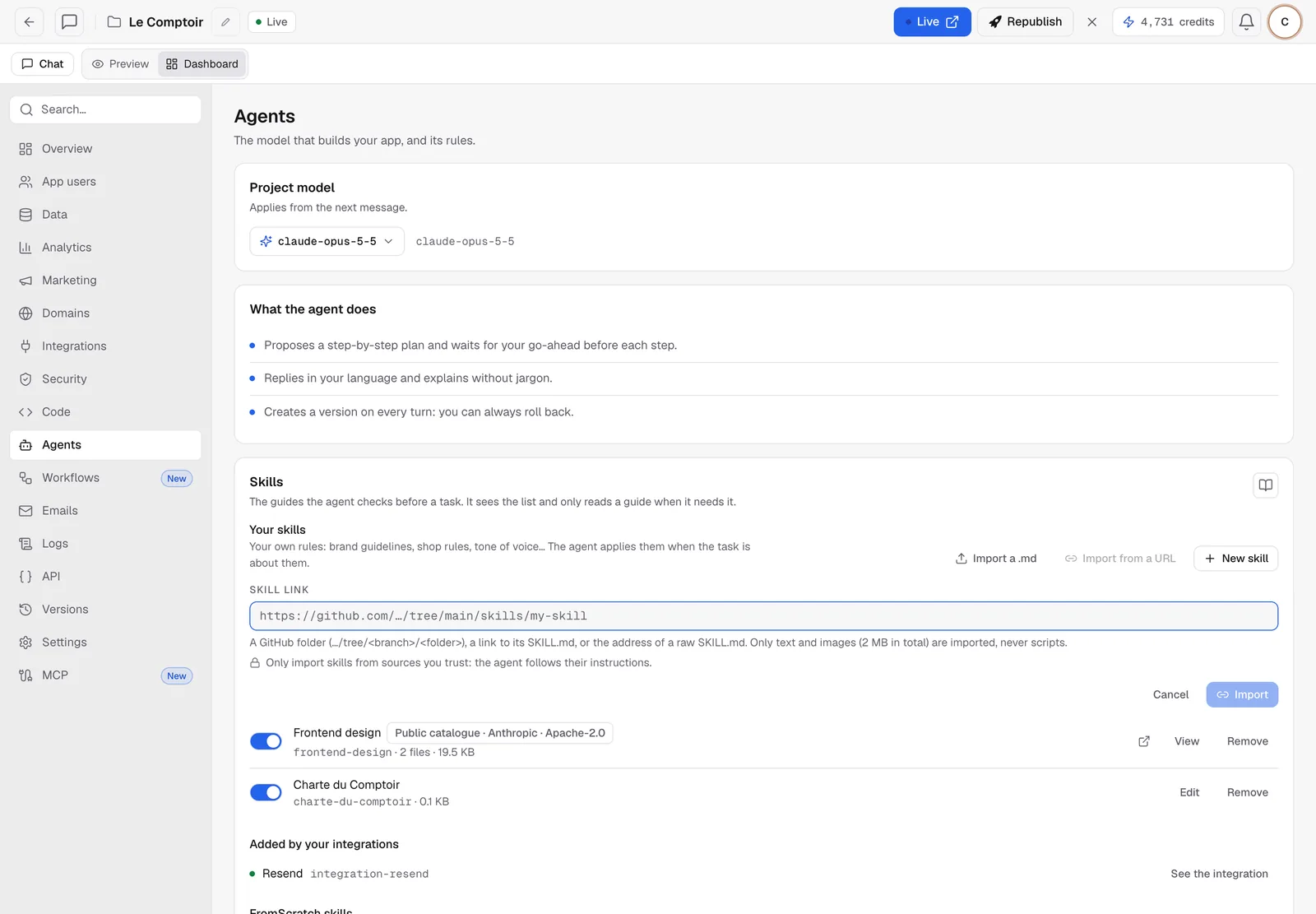
Warning
the agent follows the instructions in a skill. Only import skills from sources you trust.
The other skills on the card
- Added by your integrations: when you connect a service (Resend, S3…), its guide shows up here automatically. See Connect services.
- FromScratch skills: the guides provided for your kind of project (pages and routes, style and theme, preview troubleshooting…). Untick the ones the agent shouldn't use.
FAQ
The agent isn't applying my skill.
Check that it's turned on, then mention it in your message: "Apply the Le Comptoir brand guide." A clear title helps the agent know when to read it.
Are my skills shared with other projects?
No. They belong to this project. To reuse them, import the same .md file into the other project.
Related
Was this page helpful?
Thanks for your feedback!
Couldn't send your feedback. Please try again later.