Vibe coding keypad: what it does and doesn't fix
A vibe coding keypad speeds up prompting, but prompt quality and careful review matter more. See what Keychron's new F4 HE 8K can and cannot fix.
On this page
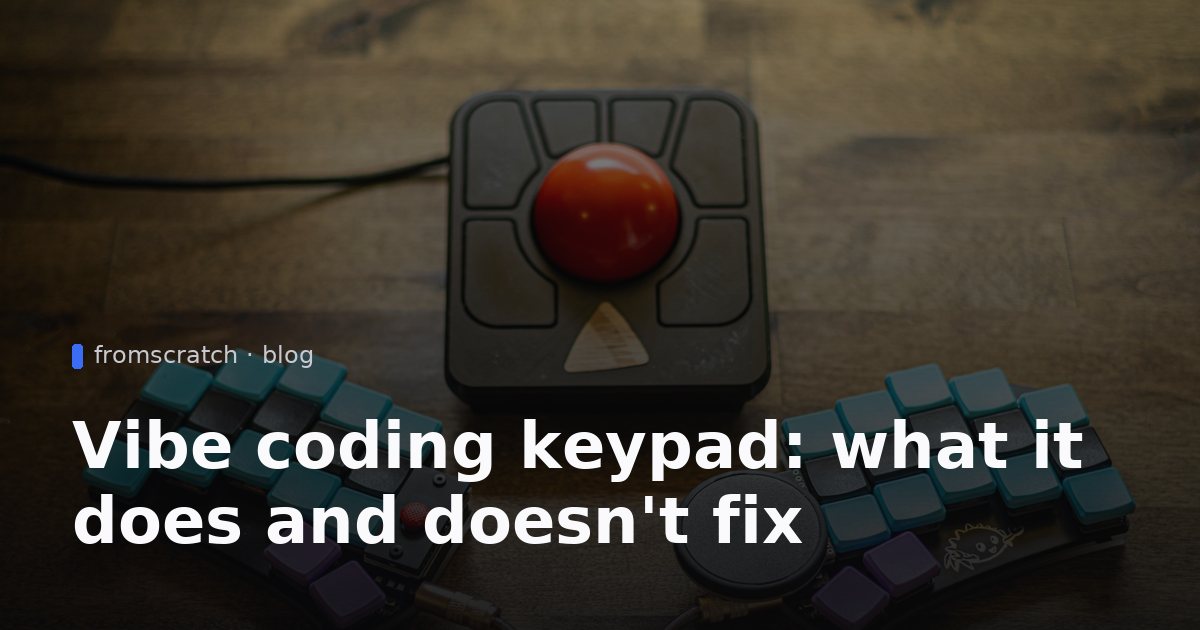
A vibe coding keypad is a small piece of hardware with a few dedicated keys for the tasks you repeat when you build software by talking to an AI. Keychron's new four-key model is the latest example, and it is a useful prompt for a bigger question: do people who build apps without writing code need special gear, or do they need a clearer process? This article covers what Keychron launched, why the idea makes sense, what a keypad cannot fix, and the habits that matter more than any device.
What Keychron launched and what the keypad does
According to MakeUseOf, Keychron's F4 HE 8K is a four-key keypad priced at $34.99. Its four default actions cover the core steps of working with an AI agent: send a prompt, start voice input, accept a change, and reject a change. The reject key is meant for moments when the AI produces something wrong or overbuilt and you want it to try again.
The hardware has several features worth knowing about:
- Magnetic switches with adjustable actuation points, so you can tune how far a key must be pressed before it registers.
- Per-key RGB lighting, which the source highlights as a visual cue for each action.
- 15 interchangeable icon keycaps, so you can label keys to match your workflow.
- An 8,000Hz polling rate, a spec aimed at gamers that the source notes is probably more than this task needs.
- Presets for Codex and Claude, with the ability to remap keys through a browser-based launcher.
- Onboard profile storage, so a custom setup stays with the keypad when you move between computers.
- Support for Windows, macOS and Linux.
The source reports the price and features at launch. Prices and product details change, so check Keychron's own product page before you buy.
Why a vibe coding keypad exists: the prompt-review-repeat loop
"Vibe coding" describes building software by describing what you want in plain language and letting an AI write the code. In practice, the work is a loop. You write a prompt, you review what the AI produced, and then you accept the result, reject it, or ask for changes. Then you repeat the cycle, sometimes dozens of times in one session.

Each step is small, but the steps add up. If a session has 80 rounds of prompt and review, a few seconds of friction per round becomes a real drag on your attention. That is the gap a keypad tries to close. It moves the most common actions under your fingers so you spend less time hunting for buttons and more time judging the output.
The four actions in practice
The most useful way to think about the four keys is as a short checklist for each round:
- Send the prompt you have written.
- Dictate a longer prompt if typing is slow or awkward.
- Accept a change that matches what you asked for.
- Reject a change that does not, and ask again.
The reject key is probably the one that matters most. The source notes that AI tools can overengineer a solution, and a fast way to say "that is wrong, try again" keeps you from accepting something you will have to undo later. Even without a dedicated key, the habit of rejecting quickly is worth building.
Why voice input appeals to non-coders
Many people who build without code think in plain sentences, not in technical terms. Speaking a description can feel more natural than typing one, especially for a bug report that explains what you saw and what you expected. The source compares this to dictation tools, and the idea is simple: if you can explain a problem out loud, you can often give the AI more context than you would have typed. Voice input works best when you still read the transcript before sending it, because a misheard word can change the meaning of a request.
What a keypad cannot fix
A keypad makes the mechanics faster. It does not make the result better. Three limits matter more than any hardware.
The prompt is still the main lever. A vague request such as "make it look nicer" will produce a vague change, whether you press one key or ten to send it. Clear requests name the screen, the user action and the expected result.
Review quality is the real bottleneck. Accepting a change is only as good as your ability to tell whether it works. If you cannot read the code, you need another way to check: run the app in the preview, click through the main flow, and try edge cases such as an empty form or a second user account. A keypad does not help with any of that.
Speed can hide mistakes. When accepting changes feels effortless, it is easy to pile up features without testing them. Many problems that show up after launch come from this pattern. Our guide on common mistakes to avoid before launch covers the checks worth doing before you share a link.
If you are finding that your app grows messy, it may be a sign that the structure needs attention rather than faster keys. The notes on vibe coding app lessons and technical debt explain how small shortcuts add up over time.
Habits that matter more than hardware
These habits cost nothing and work with any tool, keypad or not.

Change one thing at a time
Ask for one change, test it in the live preview, and only then ask for the next. If something breaks, you know which request caused it. Bundling five changes into one prompt makes problems much harder to trace.
Keep a short prompt log
Write down each prompt that worked and each one that failed, along with a one-line reason. After a few weeks you will see patterns, such as the phrasing that gets the layout you want or the request that always triggers an overbuilt feature. This log also becomes useful when you hand the project to someone else.
Use versions as a safety net
FromScratch saves every change, and you can restore an earlier version. Treat that as your undo button. Before a risky change, note which version you are on, so you can return to it without guessing.
Check the important paths by hand
Before you share a public link, test the flows that matter most to your business: data entry, login, saving records, and any payment step. Do this yourself, in a fresh browser session, with realistic data. Automated confidence is not a substitute for clicking through the app as a user would.
When a vibe coding keypad is worth buying
A dedicated keypad is worth considering if you spend several hours a day prompting and reviewing, and you find the repeated actions tiring or slow. It may also appeal to people who already like custom keyboards and enjoy tuning their setup.
It is not necessary to start. A regular keyboard and a clear process are enough for most projects, including simple tools, client portals and dashboards. A better use of your money early on is learning enough to judge what the AI produces. Even basic familiarity with how a web app is structured, what a database stores and what a login protects will make your reviews sharper than any key layout.
If you are comparing options before you commit to a builder, our overview of how to choose a no-code AI app builder lists the questions worth asking. For background on the category itself, see what an AI app builder is.
Build it with FromScratch
The best way to understand the prompt-review-repeat loop is to run it yourself. Here is how to build a small prompt review log, which is a practical tool for tracking the changes you accept and reject.
- Create a project. Go to FromScratch and start a new project from the free plan.
- Describe the app in one message. Paste the prompt below into the chat. The AI agent builds a React front-end, a Python (FastAPI) back-end and a database.
- Open the live preview. The app should appear within minutes. Add a test entry, filter the table and check the counts.
- Refine one change at a time. For example, ask for a date picker, a search field, or a clearer label on the reject option. Test each change before you ask for the next.
- Add a login. Ask the agent to require login so that only you can see the log. Then sign out and confirm that the page asks you to sign in again.
- Use versions. If a change breaks something, restore an earlier version rather than trying to patch it by hand.
- Publish. When the log works the way you want, publish it to a public URL, or to your own custom domain.
Paste this prompt into the chat:
Build a simple prompt review log web app. Users can add an entry with the date, the prompt they sent to the AI, the result (accepted, rejected or needs changes) and a short note. Show all entries in a sortable table, with a filter by result and a count of accepted versus rejected changes. Include a simple login so only I can see the log.
If you want to compare builders before you start, see our FromScratch vs Lovable vs Bolt page. For plan details, check pricing.
FAQ
Is a vibe coding keypad required?
No. A keypad is a convenience for people who spend long sessions prompting and reviewing. A standard keyboard, a clear prompt habit and a habit of testing each change are enough to build useful apps without code.
Does the keypad work with any AI tool?
According to the source, the keypad includes presets for Codex and Claude, and you can remap the keys with Keychron's browser-based launcher. Check the product details for compatibility with the specific tool you use before buying.
Can I build an app without coding?
Yes. A plain-language AI app builder lets you describe what you want, review the result in a live preview and refine it through chat. Start with a small project so you can learn the review loop before you build something important.
Where did the keypad information come from?
The details about the Keychron F4 HE 8K, including its $34.99 price, four default actions and software presets, come from MakeUseOf. Product specifications can change, so confirm current details with Keychron before purchase.


