How to Build a Booking App Without Coding: Step by Step
Learn how to build a booking app without coding: plan services and time slots, build with an AI agent, test bookings and publish to your own domain.
On this page
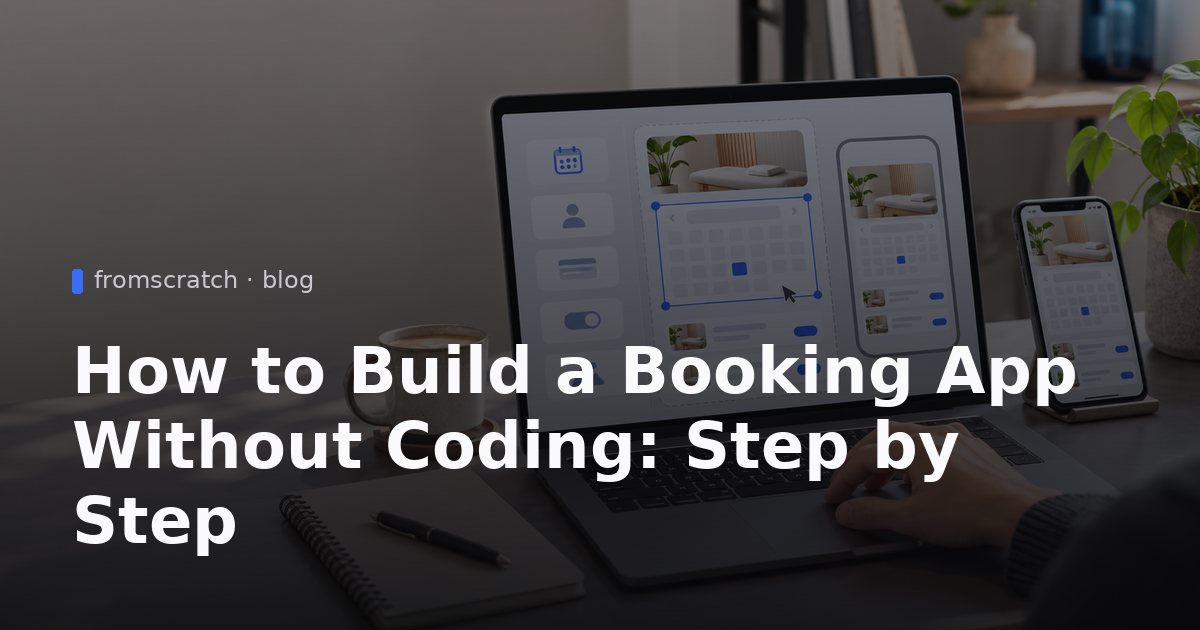
How to build a booking app without coding is a practical question for salons, tutors, studios and consultants who need customers to book time slots online. You describe the app in plain language, an AI agent builds a working version, and you refine it by chatting until the booking flow works. This guide walks through planning, building, testing and publishing a booking app, using a yoga studio as a realistic example.
What a booking app needs to do
Before you describe anything, reduce the app to its core flow. Most booking apps follow the same four steps: the customer chooses a service, picks an open time, enters their details and receives a confirmation. If one of those steps is missing or unclear, the app will feel broken no matter how it looks.
Name the people who use the app. For a small business there are usually three roles:
- Customers who book and, sometimes, view or cancel their bookings.
- Staff who check the schedule for the day.
- The owner who sets services, opening hours and capacity.
Then decide what the app must store. At minimum that is a list of services, the available time slots, the bookings themselves and a contact for each booking.
Minimum feature set for a first version
A useful first version includes:
- A list of services with names and durations.
- A weekly calendar of open slots.
- A booking form that collects a name and an email address.
- A confirmation message after the booking is made.
- A simple list of bookings for staff.
That is enough to take real bookings. You can always add more once customers are using it.
Features to postpone
Leave these for later unless they are essential to your business:
- Customer accounts and logins.
- Rescheduling rules with complex policies.
- Staff-specific calendars for many employees.
- Reminders, waiting lists and multi-location support.
Each of these adds decisions. Starting without them means you can test the core flow sooner.
Plan your booking app before you build it
Planning takes less than an hour and prevents most of the rework. The goal is to turn your business rules into sentences that an AI agent can act on. Vague prompts produce vague apps.
Write down three things on paper:
- Services, durations and prices. For example, "Vinyasa flow, 60 minutes, drop-in" or "Private session, 45 minutes."
- Opening hours and capacity. Which days you run classes, at what times, and how many people fit in each one.
- What customers must provide. A name and email are usually enough. Asking for more creates friction.
Then decide whether customers need an account. If they only book once and receive a confirmation email, you do not need logins. If they must view, change or cancel bookings later, a login becomes worth the extra step.
Finally, collect any existing content. A price list, a PDF class timetable or a spreadsheet of services can be uploaded so the app uses your real information rather than placeholder text.
Example: a yoga studio's booking rules
Consider a small yoga studio with these rules:
- Three class types: Morning Flow (60 minutes), Lunch Restore (45 minutes) and Evening Yin (75 minutes).
- Classes run Monday to Saturday at fixed times.
- Each class holds 12 people.
- Customers book with a name and email.
- The owner wants to see today's bookings each morning.
Written down like this, the app's behavior is clear. Every class is a bookable slot with a limit of 12, and the owner has one screen showing the day's attendees. This is the level of detail that makes a plain-language prompt work well.
Checklist before you start
- [ ] Services, durations and opening hours written down
- [ ] Capacity per class or slot noted
- [ ] Decision made on customer accounts (none, or email-only, or full login)
- [ ] Price list or timetable saved as a PDF or spreadsheet
- [ ] Confirmation message wording drafted
- [ ] One person named as the test customer
How to build a booking app without coding, step by step
The building process follows a loop: describe, review, test, refine. Each cycle takes minutes rather than weeks, and you stay in control of what the app does.
Start by describing the app in plain language in the FromScratch chat. The AI agent creates a React front-end, a FastAPI back-end and a database. Once it is ready, you see a live preview within minutes. Click through the booking flow exactly as a customer would: pick a class, choose a time, enter details, confirm.
Then refine with short, specific requests such as:
- "Add a fourth class type called Sunday Workshop, 90 minutes."
- "Limit each class to 12 spots and show 'Full' when it is reached."
- "Show the owner a list of today's bookings grouped by class."
Keep requests to one change at a time. If something breaks, use version history to restore an earlier saved version, then try the change again with a clearer description.
Writing a good first prompt
A strong first prompt answers five questions: who uses the app, what they do, what information they enter, what they see afterward, and what the owner needs. Compare these two prompts:
- Weak: "Make a booking app for my studio."
- Strong: "Build a booking app for a yoga studio. Customers pick a class type, choose an open slot from a weekly calendar, and enter name and email to confirm. Limit each class to 12 spots and show a confirmation message. Give the owner a list of today's bookings."
The second version gives the agent concrete rules to follow, so you spend less time correcting the first draft.
Testing the booking flow with test bookings
Do not trust the preview until you have made a full test booking yourself. Check these points:
- The calendar shows only the days and times you actually offer.
- A class stops accepting bookings when it reaches its limit.
- The confirmation message appears and shows the correct class and time.
- The owner's list shows the new booking immediately.
- The flow works on a phone, where most customers will book.
Make several test bookings in one class to confirm the capacity limit. Then delete or mark the test entries so they do not appear as real bookings.
Add the details that make bookings work
Once the core flow works, add the details that make it reliable in daily use. The most useful is your real content. Attach a spreadsheet of services and prices, or a PDF timetable, and ask the agent to use it. This is faster than typing everything by hand and reduces mistakes.
You can also request:
- A confirmation message that repeats the class name, date, time and studio address.
- A daily booking list for staff, sorted by time.
- A login only if customers need to view or cancel their own bookings.
Requiring a login is a reasonable request when customers must manage their own bookings. For a simple studio, an email confirmation is often enough, and it keeps the booking step shorter.
Handling cancellations and changes
Decide your cancellation rule before you build. A simple version is "customers contact the studio by email to cancel." If you want cancellations inside the app, describe the rule exactly, for example: "Customers can cancel up to two hours before class. Cancelled spots become available again." Test that rule with a cancellation before you publish.
Keeping data accurate
Review the list of services and prices every time you change your timetable. The booking app is only as accurate as the information it holds. When you change a class time, update it in the app the same day so customers do not book a slot that no longer exists.
Publish the booking app and connect your domain
When the test bookings behave as expected, publish the app. FromScratch offers one-click publishing to a public URL, so you can share a working link straight away.
If you want bookings on your own brand, connect a custom domain. Our guide to custom domains for an AI-generated website explains the steps in order. Your domain provider's instructions will determine the exact settings, so follow them carefully.
The most effective way to add online booking to your business website is to link to the app from places customers already visit: a "Book a class" button on your homepage, a link in your social profiles and a line in your email signature. Make the link obvious and label it with the action, such as "Book a class" rather than "Click here."
Pointing your domain to the app
After you connect a domain, allow time for the change to take effect and then open the address in a private browser window to confirm it loads the booking app. If it does not, check the domain settings against the instructions from your domain provider and try again. Do not share the new address until it works.
Checking the live version on mobile
Open the live link on your own phone and make a test booking. Check that the calendar is readable, the buttons are easy to tap and the confirmation message fits the screen. Ask one or two people to book without your help. Their confusion will show you where the flow needs a clearer label.
Build it with FromScratch
Here is how to build this yoga studio booking app from start to finish.
- Open FromScratch on the free plan and start a new project.
- Paste the build prompt below into the chat. It sets out the customer flow, the capacity limit, the confirmation message and the owner's list.
- Attach your service list if you have one, such as a spreadsheet of classes or a PDF timetable, so the app uses your real content.
- Review the live preview within minutes. Book a class yourself, check the capacity limit and confirm the owner's list updates.
- Refine with short requests, one change at a time, such as adding a class type or changing the limit from 12 to 10.
- Use version history to restore an earlier version if a change breaks the booking flow.
- Publish to a public URL, then connect your custom domain if you want it on your own address.
- Upgrade only when needed. Paid plans add credits and projects. Compare options on the pricing page when your needs grow.
Build a booking app for a small yoga studio. Customers pick a class type, choose an open time slot from a weekly calendar, and enter their name and email to confirm. Limit each class to 12 spots, show a confirmation message after booking, and give the studio owner a simple list of today's bookings.
If you want a broader overview of the platform before you start, read our guide to AI app builders. For a closer look at the booking use case, see building a booking app with AI.
FAQ
Do I need to know how to code to maintain the app?
No. You change the app by chatting with the agent, describing the change in plain language. Keep a short list of your own rules so you can explain changes clearly. Use version history if a change does not do what you expected.
Can I build a scheduling app without programming?
Yes, for a standard use case such as appointments, classes or consultations with fixed services and time slots. Write down your rules first, then build the app in small steps and test every change. Highly custom scheduling, such as complex staff rotas across many locations, takes more planning and testing.
Can customers pay when they book?
Do not promise payment until you have confirmed what your version supports. For stores, FromScratch handles card payments through the merchant's own Stripe account, and our guide on connecting Stripe to an AI-built store explains the setup. For a booking app, check the current capabilities before you tell customers they can pay online.
What if a change breaks the booking app?
Restore an earlier saved version from version history, then retry the change with a more specific request. Test the full booking flow again after every restore. Keeping one test booking routine makes problems easy to spot.